
Webinar for Beginners
*Please note that the "training playground" and other legacy "sample sites" are no longer accessible.
*Please note that the "training playground" and other legacy "sample sites" are no longer accessible.
• Brief intro to the Dashboard: the C in the top left corner always returns one to the Dashboard; view your list of sites, Widgets: My Sites, My Content; add the New Content widget; drag and drop to arrange the Dashboard; Every asset is a clickable link and has a dropdown; finding a Draft.
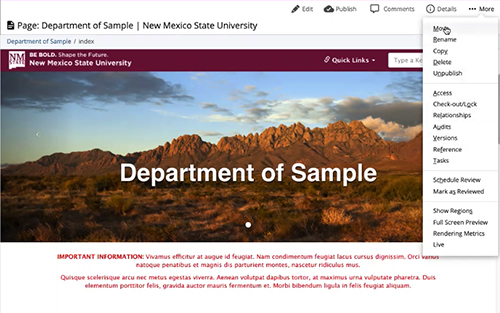
• Asset tree, opening a folder, what is an Asset Factory?; add a folder to work in; add _images folder, add a landing page ("index", naming rules, draft saved, preview draft, submit with comments, content checks, current v. draft); add a second page (file name v. display, add Banner, upload banner image, "Content Rows", WYSIWYG editor). view Sample page (with all content rows demo'd).
Getting started with Cascade
Back to "Welcome to Cascade"
 "Coffee and Cascade"

New Mexico State University
Garcia Center 100
Las Cruces, NM 88003-8001